Automating presentations with Python from a single source of truth
Instead of spending 3 hours creating and maintaining a monthly roadmap presentation from scratch, I spent 5 hours automating it.
Roadmap alignment
The goal of this presentation is to create alignment within our organization by easily reviewing all in-flight projects across the company. The slide deck is a valuable artifact to create, but it’s not the source of truth of active development. The most up-to-date place to understand what’s shipping to customers is in fact our work management system. To produce these presentations, you need to make sure you are in-sync with the teams doing the work.
The process of creating these presentations is not the best use of our small group of product managers time. Doing this is time-consuming and error prone, and we already have this information in another system.
Content of the presentation
The presentation is a stack-ranked list of the projects/features being delivered over the course of the next several quarters. Each slide in the presentation includes the name of the project, the value it delivers to customers, when it’s expected to ship to customers, along with a screenshot to convey either the problem or solution.
Building the automation
To build the presentation I used python-pptx which generates PowerPoint presentations from a Python script.
It connects via API to our work management system, and fetches all the Feature user stories.
For every Feature the Python script would
- Fetch a short summary at the top of the story - this is anything before three dashes
---added to the description. - Fetch the first image attached to the Feature
- Fetch the release associated with the Feature
- Build a slide using python-pptx
In order to build the slide, I created a Master Slide in the PowerPoint presentation to act as a placeholder for each element of the Feature to be displayed.
When the automation was written, I hosted it on an internal website where anyone in the company could go to and generate a presentation on the fly. Editing the presentation involved updating the work management system where all teams benefit from the changes.
Tutorial with PowerPoint
Prerequisites:
- Python installed on your machine
- If you don’t have PowerPoint, use Google Docs to upload the presentation for review.
pip3 install python-pptx
Create a presentation.py file with the following code
from pptx import Presentation

presentation = Presentation()
title_slide_layout = presentation.slide_layouts[0]
slide = presentation.slides.add_slide(title_slide_layout)
title = slide.shapes.title
subtitle = slide.placeholders[1]

title.text = "Hello, World!"
subtitle.text = "python-pptx was here!"

presentation.save('test.pptx')
Generate a test.pptx presentation with the default PowerPoint template
python3 presentation.py
You should now have a simple presentation. Upload the test.pptx file to drive.google.com if you don’t have PowerPoint installed locally on your machine.
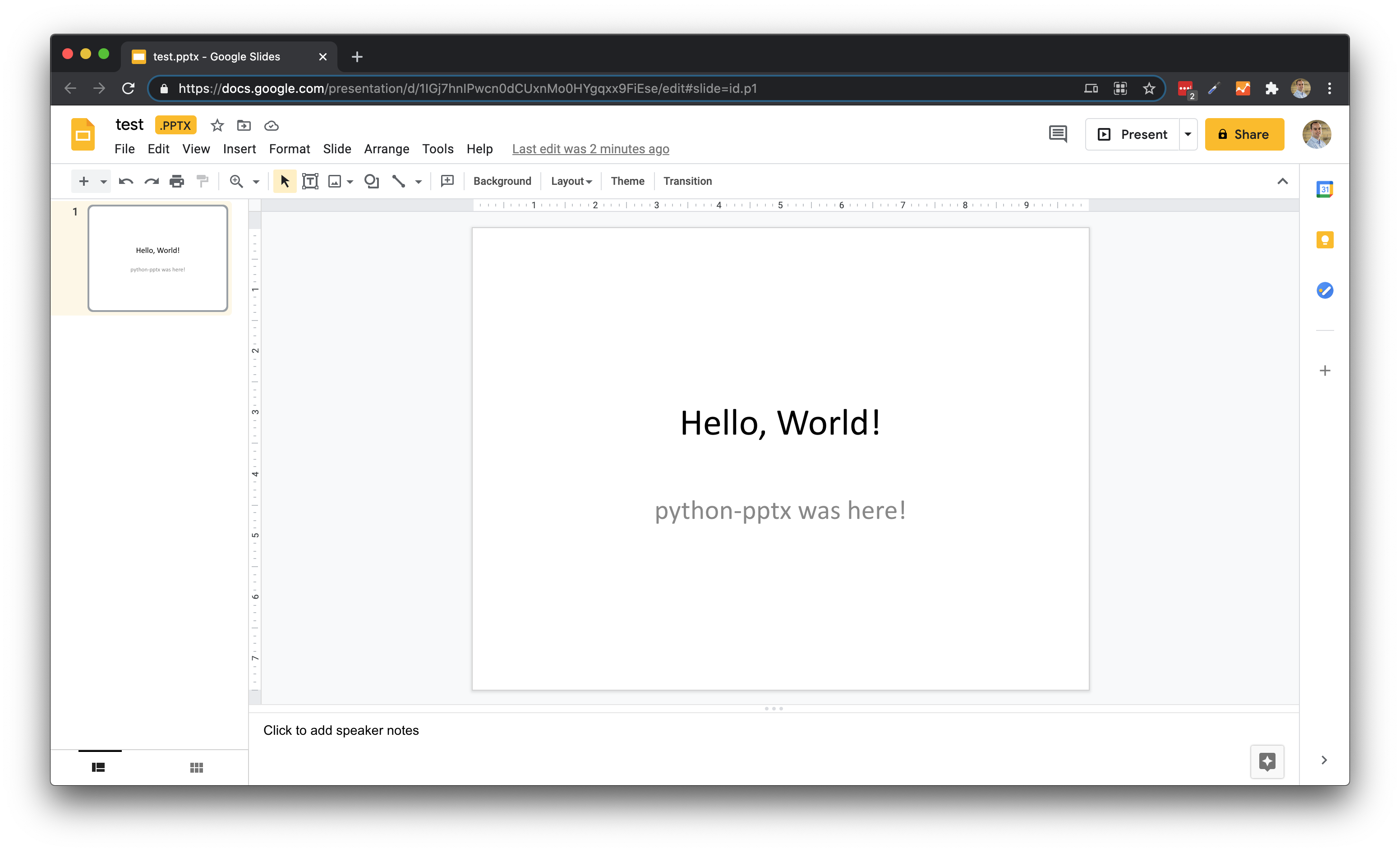
You can now download any Google Slides presentation as a .pptx file and use that as a base template for generating slides. Modify the previous snippet to use a template file. In this case I’m using a Status report.pptx file.
from pptx import Presentation

template = 'Status report.pptx'
presentation = Presentation(template)
title_slide_layout = presentation.slide_layouts[0]
slide = presentation.slides.add_slide(title_slide_layout)
title = slide.shapes.title
subtitle = slide.placeholders[1]

title.text = "Hello, World!"
subtitle.text = "python-pptx was here!"

presentation.save('test.pptx')
You’ll see in this example that it added an end slide matching the title slide of the template slide deck.
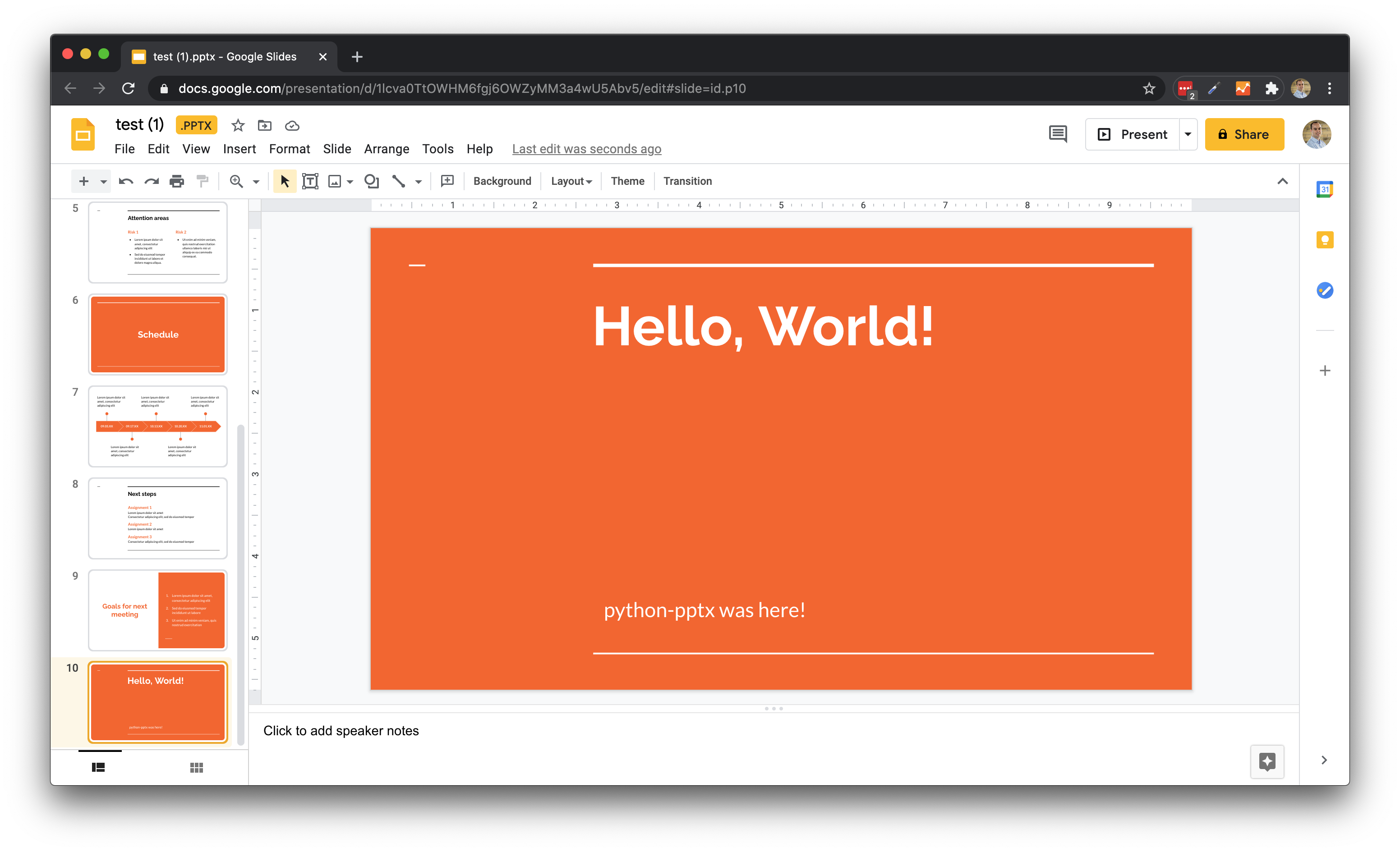
You can view more examples from python-pptx
Additional applications
Once I had success creating presentations for the roadmap executive summary, I also created summaries to use in client presentations by our Success Managers. This would generate a unique presentation for clients based on previous feature request, showcasing exactly how we are delivering on their feedback.
Final thoughts
Now, I don’t recommend going around trying to automate all of your presentations, but there is value in creating a single source of truth that everyone is incentivized to maintain. You do this by making it easier to update the source, than it would be to create the presentation yourself.